
GuidePlatforms & Tools
Turnstile is not finished when the widget appears: validate every protected submission
The browser creates a token; the server must verify it before accepting the action. Test expiry, reuse and failure paths, not just the visible success state.
On this page
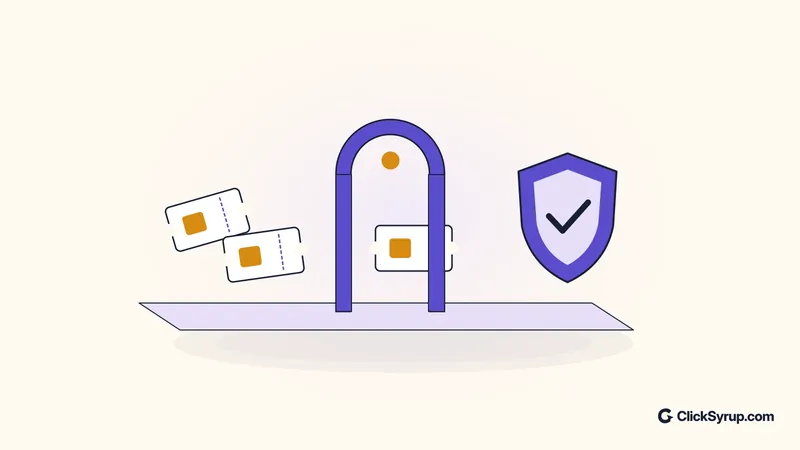
A Turnstile widget appearing on a form does not prove that the form is protected. Cloudflare's server-side validation documentation says the token must be checked through Siteverify. If the application accepts a submission without that check, a successful-looking browser experience has not established a trustworthy server decision.
The implementation target is straightforward: no protected action should proceed solely because the browser says it passed. Build and test the server decision first, then connect the widget and the user-facing recovery behavior. This guide describes a workflow to implement and verify, not a claim that ClickSyrup tested any reader's application.
Follow the token from browser to server
Cloudflare's getting-started guide distinguishes the public sitekey from the private secret key. The sitekey belongs in the client integration; the secret is used by the server for verification. A developer should not place the secret in browser code, a public repository or a client-visible configuration file merely to make a prototype work.
When the browser submits a token with the form, send it from the backend to the fixed Siteverify endpoint, using the secret and token as the required inputs. Treat the response as data to validate, not as permission implied by the fact that the HTTP request completed. The application needs the verification result before it performs the protected action.
Keep the business action after this decision. Sending an email, creating a record or accepting a request and only then checking the token reverses the protection. Describe this order explicitly in the implementation ticket so that the frontend and backend teams do not each assume the other has enforced it.
Handle a missing token, a rejected token and an unavailable verification response deliberately. Do not silently accept the action in those cases. Give legitimate visitors a usable retry path and preserve appropriate unsent input, while keeping sensitive data out of diagnostic logs. A refusal that loses a long message is a user-experience problem to solve, not a reason to skip validation.
Expiry and reuse need their own tests
Cloudflare documents a token lifetime of 300 seconds and single-use validation. An expired or already validated token can produce timeout-or-duplicate. The practical consequence is that a token obtained when a page first opened may be unusable by the time a visitor finishes a long form.
Test that slow-completion case instead of only submitting immediately after the widget succeeds. Confirm that the application can obtain a fresh token and let the visitor try again without unexpectedly repeating the business action. The visitor should not need to understand token mechanics to recover from an ordinary delay.
Keep token reuse separate from business idempotency. A valid token does not, on its own, guarantee that an application will never create two identical records after a network retry or double click. Design the protected operation to recognize its own repeated requests where that is necessary, and test the resulting behavior independently of the widget.
Where the backend retries a verification call, use the API's documented retry and idempotency provisions rather than inventing an assumption that the same token can be validated indefinitely. Write down which layer is being retried: browser submission, Siteverify request or business transaction. Confusing those layers makes intermittent failures difficult to explain.
Check the intended host and action, not just success
The verification response includes contextual fields such as hostname and, when configured, action. Compare them with the expected values defined by the application. Do not accept an expected hostname or action supplied by the same untrusted form submission; that would let the request define the rule it is supposed to satisfy.
Cloudflare's hostname-management guide explains how widget hostnames are authorized. It also notes that adding a root domain authorizes its subdomains. Choose the scope deliberately and review it when moving from staging to production. A widget configuration and a server-side response check should support the intended deployment, not accidentally approve unrelated environments.
Turnstile remains one layer. Authentication determines who a user is, authorization determines what they may do, and the application still needs input validation and appropriate request controls. A successful challenge does not justify accepting arbitrary data or letting an authenticated user act on another person's account.
Review the page delivery path as well. Where caching is involved, keep account-specific responses and sensitive state out of shared caches, following the separation in our Cloudflare caching guide. A working challenge does not repair an unrelated cache rule that exposes private content.
Prove the negative cases before launch
Cloudflare provides testing keys and implementation guidance for controlled success and failure cases. Use those documented test credentials in the appropriate test environment, not as production protection. Their purpose is to make repeatable tests possible without relying on the outcome of a real visitor challenge.
Create an acceptance record covering a valid submission, a missing token, a failed verification, an expired token, reuse of a previously validated token and an unexpected host or action. For each case, record both the user-visible response and whether the backend actually performed the protected operation. A reassuring message alone cannot prove that nothing was accepted.
Add a verification-service interruption to the test plan and agree the user-facing behavior before launch. Also check recovery after the service becomes available again. Include the checks in the site's maintenance routine, especially after changes to form handling, reverse proxies, secrets or the application's deployment environment.
The release criterion is not a screenshot of the widget. It is a reproducible result: permitted requests complete once as intended, rejected requests do not perform the protected action, secrets stay on the server and legitimate visitors have a clear way to recover. That is the difference between adding a visible component and enforcing a protection.
Primary sources
- server-side validation documentationdevelopers.cloudflare.com
- getting-started guidedevelopers.cloudflare.com
- hostname-management guidedevelopers.cloudflare.com
- testing keys and implementation guidancedevelopers.cloudflare.com
Related reading
GuidePlatforms & Tools
How to write Cloudflare cache rules without serving private pages to strangers
Caching HTML can improve performance, but a broad rule can expose the wrong version of a page. Start with what Cloudflare caches by default and isolate personalized routes.

GuidePlatforms & Tools
A website maintenance routine an independent publisher can keep
A useful routine protects the reader’s essential tasks, the publishing workflow and the ability to recover when a change goes wrong.
Cloudflare launches open-source Void for deploying full-stack Vite apps
Cloudflare introduced the Void SDK, CLI and self-hosted platform on October 15. The release targets teams building full-stack apps, not a compulsory upgrade for ordinary websites.